![How to Fix YouTube There Was A Problem In The Server [400] Error?](https://www.hatauzmani.com/uploads/images/202403/image_380x226_65f1745c66570.jpg)
















How To Fix Diablo 4 Error Code 395002?
In this article, we will try to solve the "(Code 395002)" problem that Diablo 4 players encounter in the game.

Diablo 4 was released on PC as beta on March 24, 2023, and started to be downloaded and played by many players.
With the release of Diablo 4 beta, we can say that many players started to use the servers intensively.
Due to this server load, players are unable to connect to any game, encountering the error "Your account is currently locked" in the game's main menu, followed by "Please waitafew minutes and try agan" and then "(Code 395002)".
So what is Diablo 4 Code 395002? And why are you encountering such an error, let's find out together.
What is Diablo 4 Error Code 395002?
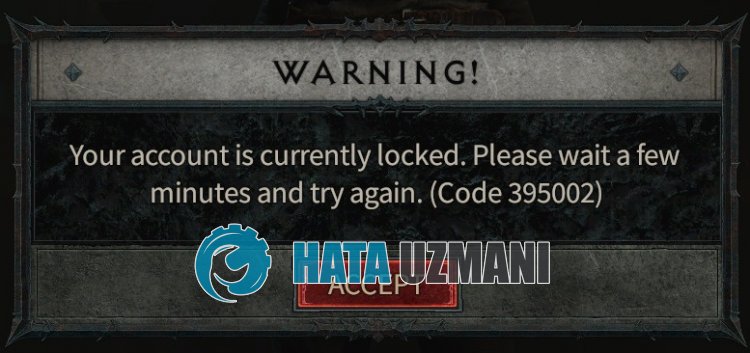
Diablo 4 code 395002 appears before players asaserver-related error. The server slows down when it is overfilled, and it displays the error "(Code 395002)" because it cannot respond to some requests from the players.
After the error occurs, you need to accept the message and connect to the server again and check if the problem persists.
How To Fix Diablo 4 Error Code 395002
To fix this error, you can find the solution to the problem by following the suggestions below.
1-) Reconnect
This error is caused by overloading the server.
Since the server is still in beta testing, the servers may be insufficient. For this reason, you may need to periodically log out of the game and reconnect to check if the problem persists.
2-) Verify File Integrity of Game
Damage to game files can cause many errors.
Therefore, you can eliminate the problem by verifying the game file integrity.
- Run the Battle.net application.
- Then select the game "Diablo 4".
- Click the gear icon next to the Play button.
- Then click "Scan and Repair" and start the verification process.
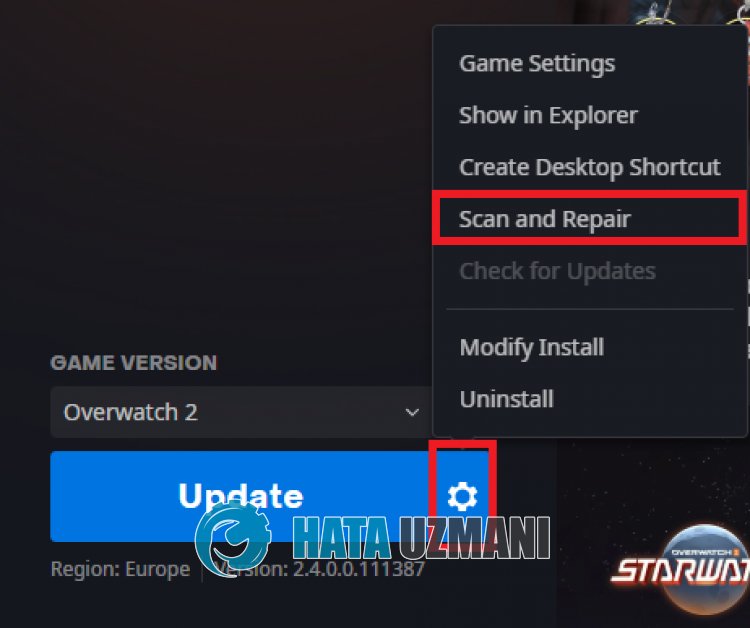
After this process, the game files will be scanned and the missing or faulty files will be repaired again.
After the repair process is complete, you can run the game and check if the problem persists.
3-) Clear Battle.net Cache
The problem with the Battle.net application cache may cause you to encounter various errorslike this.
Therefore, you can clear the cache files so that they are reconfigured and eliminate the problem.
- First of all, close the Battle.net application with the help of the task manager.
- Type "Run" into the start search screen and open it.
- Type "C:\ProgramData\" on the screen that opens and press enter.
- Then delete the "Battle.net" folder.
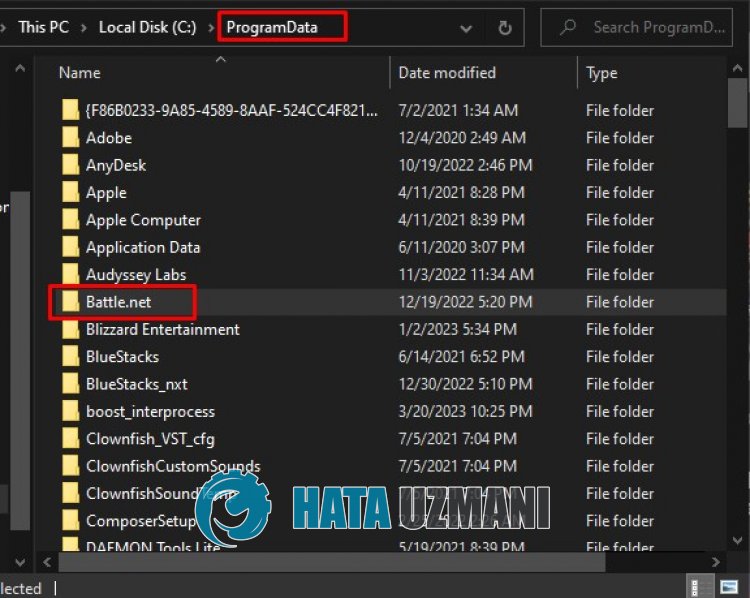
After this process, you can check if the problem persists.
4-) Change Region
Users who encounter various error codes state that the problem has disappeared by changing the region on Battle.net.
We can eliminate the problem by realizing this suggestion.
- Run the Battle.net application.
- Choose the Diablo 4 game.
- Then click on the globe icon under "Game Version".
- Select any region from the optionslisted and start the game.
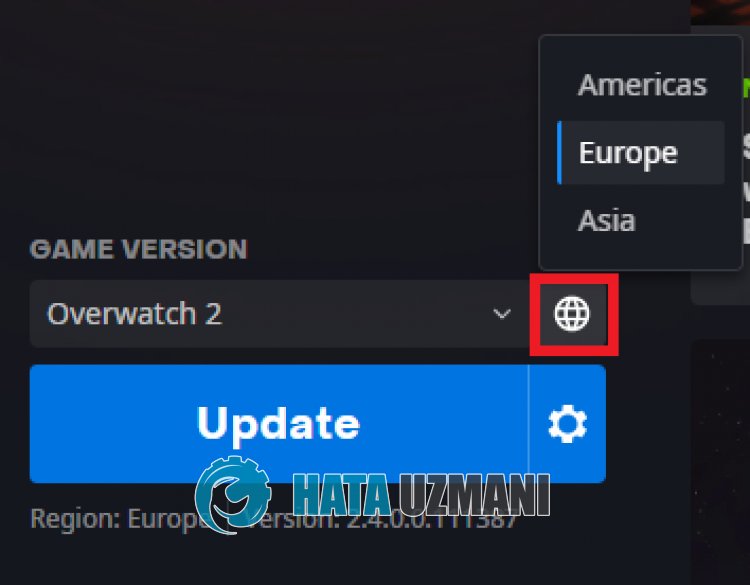
After this process, you can check if the problem persists.


