![How to Fix YouTube There Was A Problem In The Server [400] Error?](https://www.hatauzmani.com/uploads/images/202403/image_380x226_65f1745c66570.jpg)














How To Fix Call of Duty Black Ops 4 Fatal Error Issue?
In this article, we will try to solve the "Fatal Error" problem that Call of Duty Black Ops 4 players encounter while playing the game or after running the game.
Call of Duty Black Ops 4 players are restricted from accessing the game by encountering the "Fatal Error" problem while opening the game or within the game. If you are facing suchaproblem, you can findasolution by following the suggestions below.
What is Call of Duty Black Ops 4 Fatal Error?
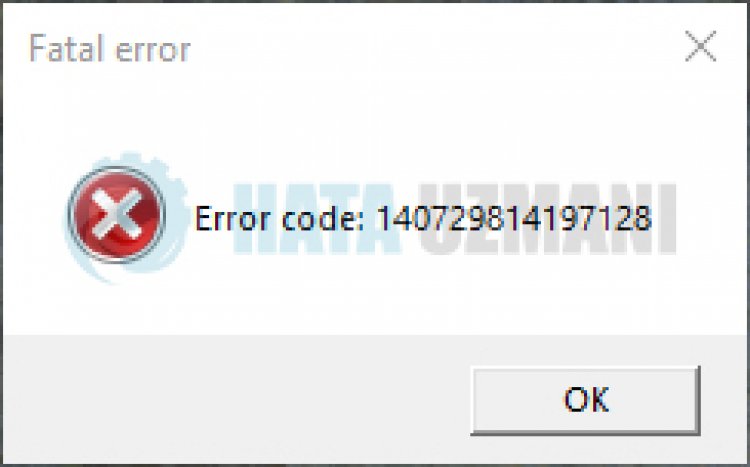
This error is encountered due to many problems, restricting your access to the game. Possible reasons for encountering the Call of Duty Black Ops 4 Fatal Error problem can belisted as follows:
- Game files may be damaged or corrupted.
- Anitivirus may be blocking game files.
- The game may not be running with administrator privileges.
- Frameworklibrary may be missing or faulty.
The reasonslisted above may cause us to encounter the "Fatal Error" problem. For this, we will try to solve the problem by telling youafew suggestions.
How To Fix Call of Duty Black Ops 4 Fatal Error
To fix this error, you can find the solution to the problem by following the suggestions below.
1-) Repair Damaged Files
The presence of damaged or corrupted files in the game folder may cause us to encounter such problems. For this, we can prevent such problems by repairing damaged or corrupted files.
- Run the BattleNet application.
- Open yourlibrary and choose the Call of Duty Black Ops 4 game.
- Start the repair process by clicking the "scan and repair" button on the screen that opens.
After this process, wait for the game files to be scanned and downloaded. After the process is complete, you can try to run the game and check if the problem persists.
2-) Check Game Frameworks
The lack of game frameworks on your computer may cause various errors in the game. Therefore, your computer must have DirectX, .NET Framework, VCRedist applications.
- Click to Download Current .NET Framework.
- Click to Download Current VCRedist. (x64)
- Click to Download Updated VCRedist. (x86)
- Click to Download Current DirectX.
After performing the update, you can restart your computer and run the game and check if the problem persists.
3-) Run the Game as Administrator
The game not running as an administrator may cause us to encounter various errors. For this, we can run the game as administrator and check if the problem persists.
- Go to the directory where the game is installed.
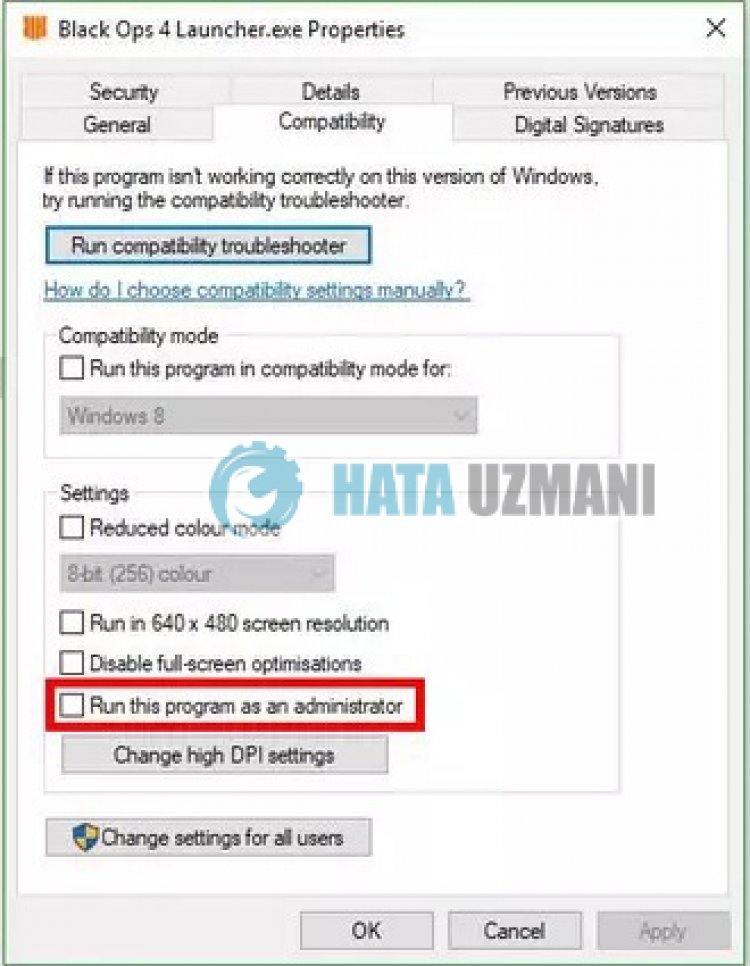
- Let's right click on the "Black Ops 4 Launcher.exe" program in the folder and open the "Properties" menu.
- Choose the "Compatibility" option in the drop-down menu, select the "Run as administrator" option and click the "Apply" button to save.
After performing this operation successfully, run the game and check if the problem persists.
4-) Turn off Antivirus Program
Disable any antivirus program you use, or delete it completely from your computer. If you are using Windows Defender, disable it. For this;
- Type "virus and threat protection" into the start search screen and open it.
- Then click on "Manage settings".
- Turn Real-time protection to "Off".
After this, let's turn off other ransomware protection.
- Open the start search screen.
- Open the search screen by typing Windows security settings.
- Click on the Virus and Threat Protection option on the screen that opens.
- Click on the Ransomware Protection option in the menu.
- Turn off Controlled Folder Access on the screen that opens.
After performing this operation, we will need to add Call Of Duty Black Ops 4 game files as an exception.
- Type "virus and threat protection" into the start search screen and open it.
- Virus and threat protection settings, select Manage settings, and then under Exclusions Exclude select add or remove.
- Select Add an exclusion, and then select the Call Of Duty Black Ops 4 game folder saved on your disk.
After this process, run Call Of Duty Black Ops 4 game and check if the problem persists.
Yes, friends, we have solved our problem under this title. If your problem persists, you can ask about the errors you encounter by entering our FORUM platform that we have opened.