![How to Fix YouTube There Was A Problem In The Server [400] Error?](https://www.hatauzmani.com/uploads/images/202403/image_380x226_65f1745c66570.jpg)














Fix FIFA Online 4 DXGI_ERROR_DEVICE_RESET Error
In this article, we will try to resolve the "DXGI Error Device Removed:DXGI_ERROR_DEVICE_RESET" error that FIFA Online 4 players encounter while opening the game.
FIFA Online 4players encountered while running the game"DXGI Error Device Removed:DXGI_ERROR_DEVICE_RESET" In thisarticle, we will try to solveafew suggestions. If youare facing suchaproblem, you can reach the solutionbyperforming the followingactions.
What is FIFA Online 4 DXGI_ERROR_DEVICE_RESET Error?

This error is due to the fact that the graphics driver cannotbe read in the registry orbecause the graphics driver is not up to date. If the graphics card is not up to date, it can cause various errors. For this, we can reach the solution of theproblemby updating our graphics card oradjusting the registry.
Of course, not only the graphics driver is out of date,butalso the insufficient video card for the game may cause us to encounter suchproblems.
How To Fix FIFA Online 4 DXGI_ERROR_DEVICE_RESET Error
To fix this error we encountered, you can reach the solution of theproblemby following the suggestionsbelow.
1-) Edit Registry
- In the start searchbar, type regedit and open it.
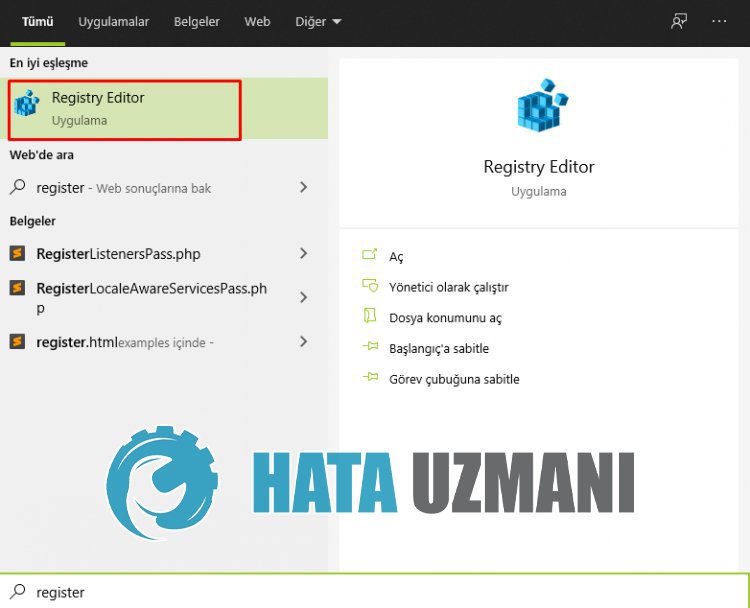
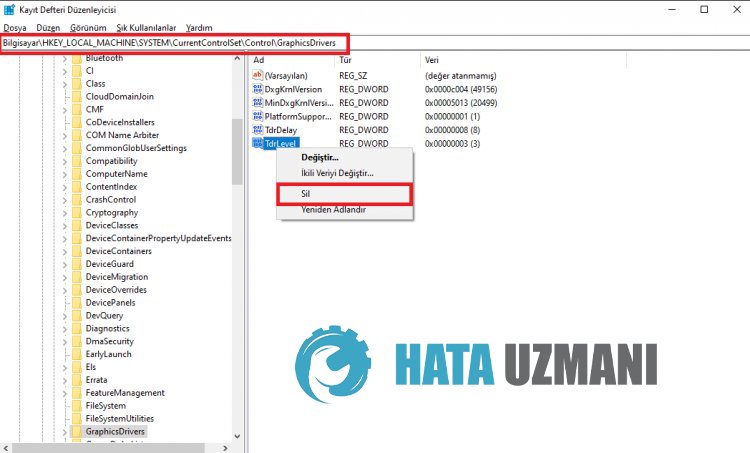
- Pass the location Computer\HKEY_LOCAL_MACHINE\SYSTEM\CurrentControlSet\Control\GraphicsDrivers into theboxat the top of the screen that opensandpress enter.
- After this operation, the registry on the right willbelisted. If there isaregistry named TdrLevel, right click on itand delete it. If not, continue with theprocedurebelow.
- Then right click onan empty spaceand hover over the option that says new DWORD (32Bit) Select value.
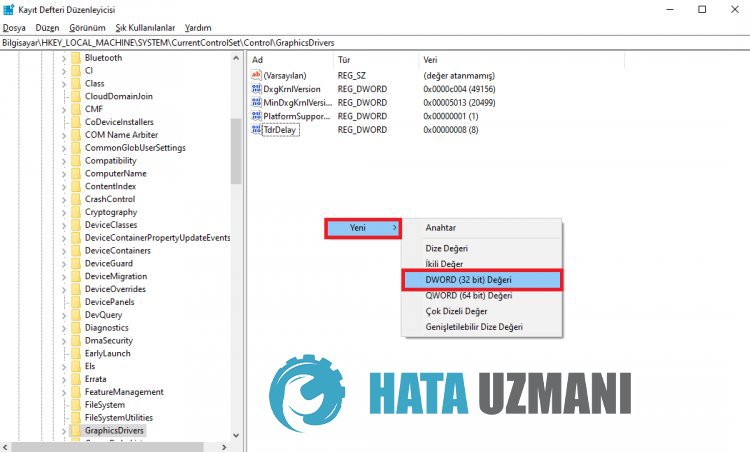
- Rename the registry we just created to TdrLevel.
- Then enter 0 in the value databy double-clicking on it. After thisprocess, restart your computer. If not, change the value data to 3and tryagain.
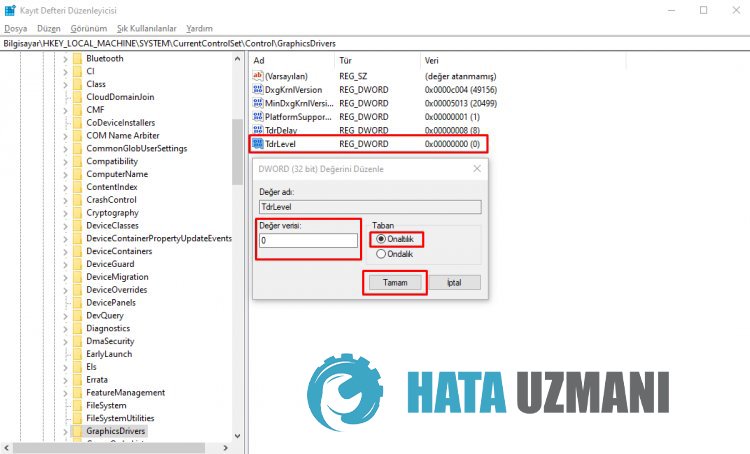
After thisprocess is finished, restart your computerand log in to the gameand check if theproblempersists.
2-) Update Graphics Card
The graphics card is not up-to-date, which can cause suchan error. For this, we can solve theproblemby updating the video card.
For Users with Nvidia Graphics Card;
- First ofall, Nvidia company's Geforce Experience .
- After completing the downloadand installationprocess, we open ourprogramand open the Drivers menuabove.
- Download our updateby clicking the Download button thatappearsabove.
- After our download is complete, let'sperform the installationprocessby clicking the quick installationbutton.
- Restart your computerafter thisprocess is finished.
For Users with AMD Graphics Card;
- AMD's AMD Radeon Software .
- Afterperforming the downloadand installationprocess, open ourprogramand check if our graphics card is up to datebypressing the Check for Updates button under the driverand software menu on the right. we do.
- You can restart your computerbyperforming the update.
After updating our graphics driverand restarting our computer, we can try to open the FIFA Online 4 game.
3-) Graphics Card May Be Insufficient
The fact that your video card is insufficient for the game may cause us to encounter suchaproblem. For this, we need to check whether the game supports the video card.


