![How to Fix YouTube There Was A Problem In The Server [400] Error?](https://www.hatauzmani.com/uploads/images/202403/image_380x226_65f1745c66570.jpg)















Fix Detroit Become Human VK Error Device Lost
In this article, we will try to solve the "VK Error Device Lost" problem that Detroit Become Human players encounter in-game.
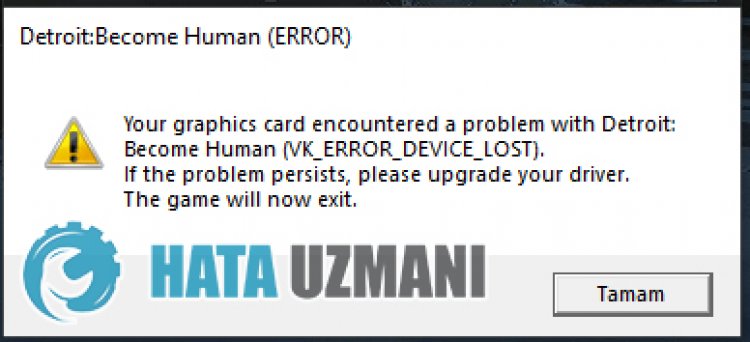
Detroit Become Human players suddenly "Your graphics card encounteredaproblem with detroit: Become Human (VK_ERROR_DEVICE_LOST). If the problem persists, please upgrade your driver. The game will now exit. Restricting access to the game by encountering the error ". If you are facing suchaproblem, you can findasolution by following the suggestions below.
What is Detroit Become Human VK Error Device Lost Issue?
This error is encountered due to any problem with your graphics card. Detroit: Become Human Possible reasons for encountering the VK_ERROR_DEVICE_LOST error can belisted as follows:
- Your graphics card may not be up to date.
- Your graphics card may be affected by overclocking.
- If your graphics card is not overclocked, the frequency may be high.
The reasonslisted above can lead to such graphics card errors. For this, we will try to solve the problem by telling youafew suggestions.
How To Fix Detroit Become Human VK Error Device Lost Issue
To fix this error, you can find the solution to the problem by following the suggestions below.
1-) Update Graphics Card Driver
In such continuity problems, we may encounter an update error in the graphics card. For this we will need to update the graphics card. If you're ready, let's get started.
For Users with Nvidia Graphics Card;
- First of all, Nvidia company's Geforce Experience We need to download and install the program.
- After the download and installation process, we open our program and open the Drivers menu above.
- Download our update by clicking the Download button that appears above.
- After our download is complete, let's perform the installation process by clicking the quick installation button.
- Restart your computer after this process is finished.
For Users with AMD Graphics Card;
- Published by AMD company AMD Radeon Software We need to download and install the program.
- After the download and installation process, we open our program and click the Check for Updates button under the driver and software menu on the right, and check if our video card is up to date.
- You can restart your computer by performing the update.
After updating our graphics driver and restarting our computer, we can try to open the Detroit Become Human game.
2-) Lower the Game Graphics Settings
Many users say that they foundasolution by lowering the game's graphics settings. We can findasolution to the problem by following this suggestion. For this, you can check whether the problem persists by reducing the graphics settings by trial and error.
3-) Edit Registry
- Type regedit into the Start search bar and open it.
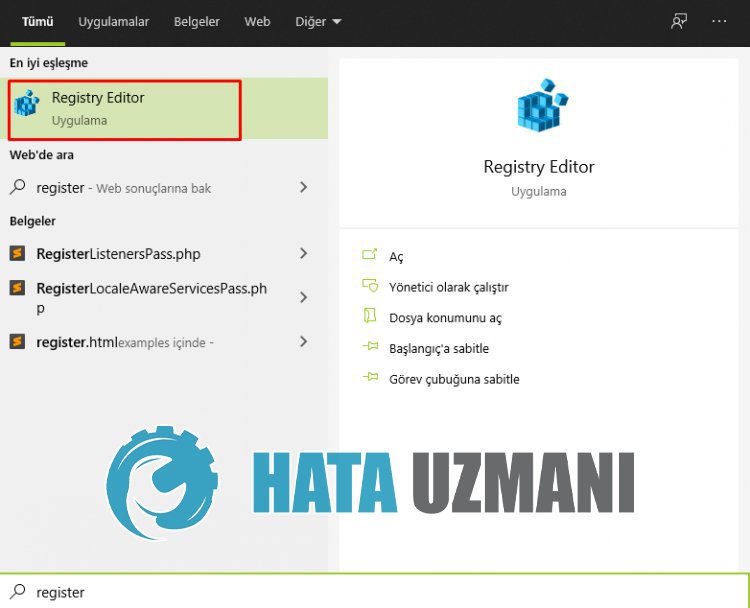
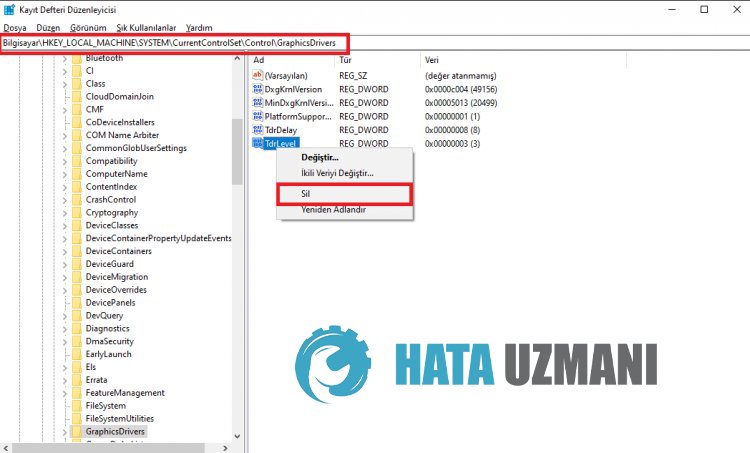
- Paste the locationComputer\HKEY_LOCAL_MACHINE\SYSTEM\CurrentControlSet\Control\GraphicsDrivers into the box at the top of the screen and press enter.
- After this operation, the registry on the right will belisted. If there isaregistry named TdrLevel, right click on it and delete it. If not, continue with the procedure below.
- Then right-click on an empty space and select the option that says newDWORD (32Bit) value.
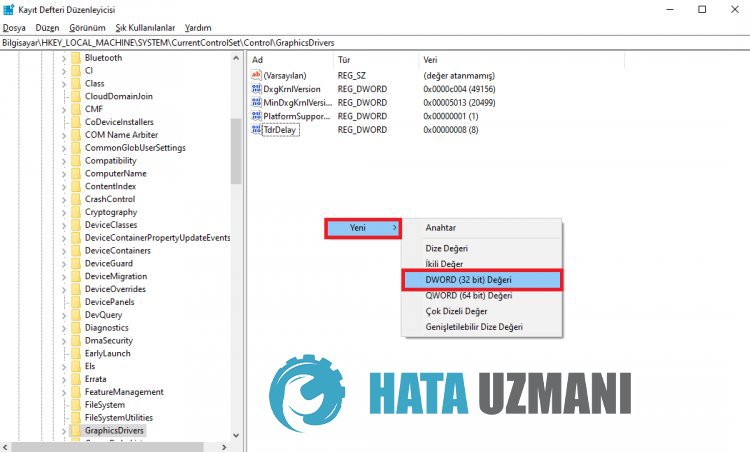
- Rename the registry we just created to TdrLevel.
- Then enter 0 in the value data by double-clicking on it. After this process, restart your computer. If not, change the value data to 3 and try again.
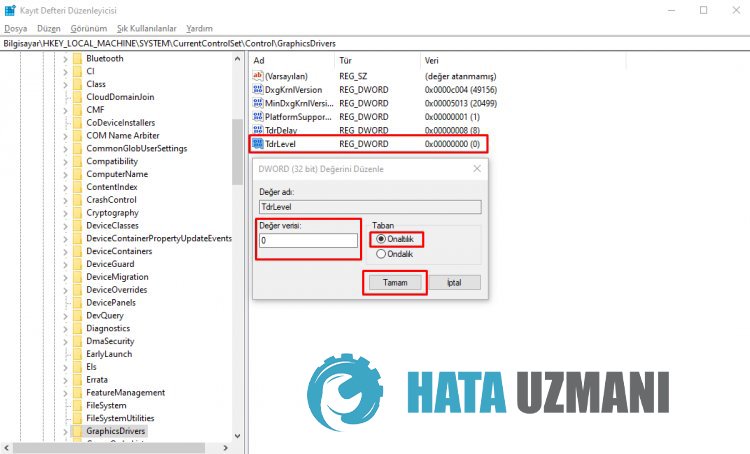
After this process is finished, restart your computer and log in to the game and check if the problem persists.
4-) Lower GPU Frequency
High GPU frequency can force the game to be played. For this, we can put alittle load on the processor by lowering the frequencies.
- To lower the GPU frequency, first download MSI Afterburner.
- After the download and installation process is complete, open the program and gradually lower the setting that says "Core Clock".
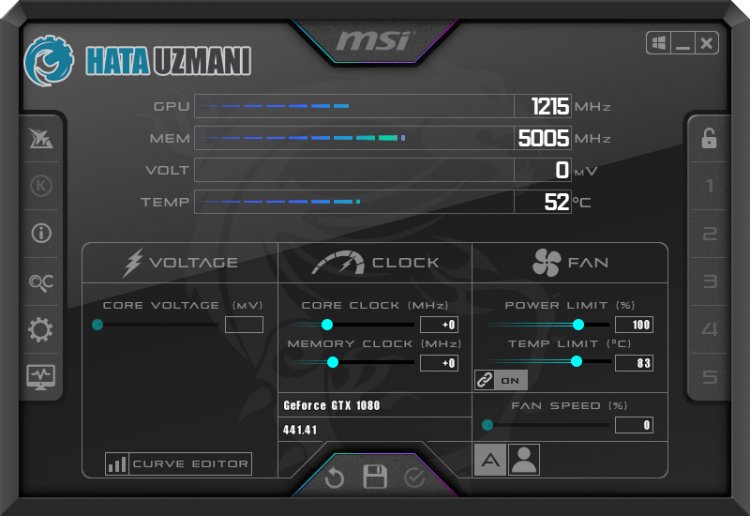
After this process, you can open the game and check if the problem persists.
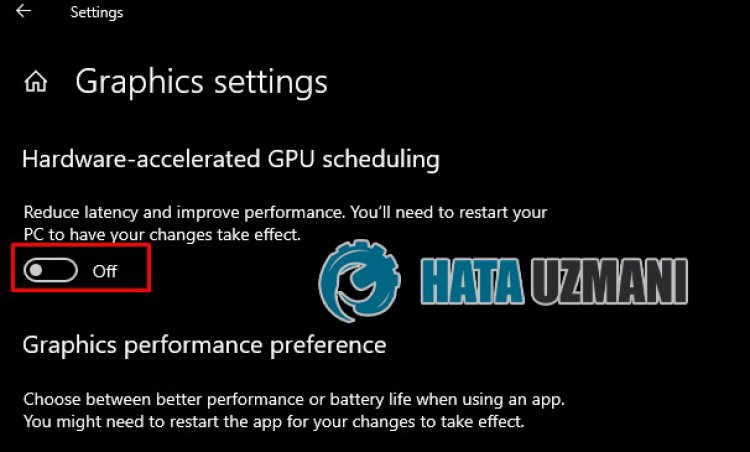
5-) Turn Off Hardware Accelerated GPU Timing
Some users report that they experience stuttering issues in some games when hardware-accelerated GPU timing is turned on. We can eliminate the problem by turning this setting off.
- Type "Graphics settings" in the start search screen and open it.
- Disable "Hardware Accelerated GPU Timing" in the drop-down menu.
After this process, you can restart your computer and check if the problem persists.
Yes, friends, we have solved our problem under this title. If your problem persists, you can ask about the errors you encounter by entering our FORUM platform.