![How to Fix YouTube There Was A Problem In The Server [400] Error?](https://www.hatauzmani.com/uploads/images/202403/image_380x226_65f1745c66570.jpg)













How To Fix Rust Startup Error?
In this article, we will try to resolve the "Startup Error, Steam Load Error" error that Rust players encounter after opening the game.
Rustplayers encounter the error "Steam Load Error - is Steam open?"after running the game, restricting theiraccess to the game. If youare facing suchaproblem, you can findasolutionby following the suggestionsbelow.
What is Rust Startup Error Problem?
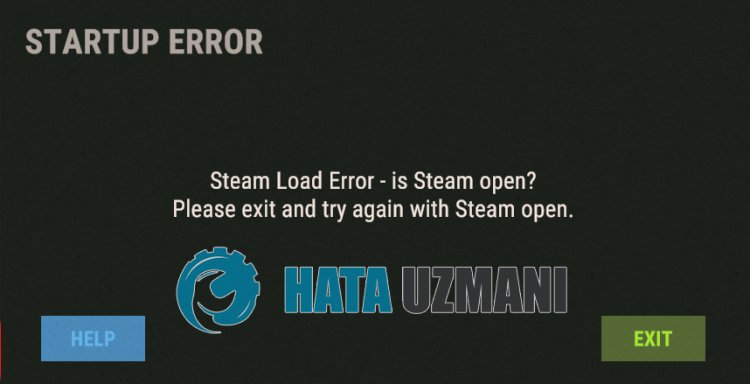
This error is usually causedby the fact that the game is not original. If the game has notbeenpurchased on Steam, suchan error may occur. If suchan error is encountered despitepurchasing the game, the game files maybe damaged or corrupted. Due to manyproblemslike this, suchan error canbe encountered. For this, we will try to solve theproblemby telling youafew suggestions.
How To Fix Rust Startup Error Problem
To fix this error, you can find the solution to theproblemby following the suggestionsbelow.
1-) Game Not Purchased
If you did notpurchase the Rust game on Steamand the game was installed on your computerby downloading it from outside, you may encounter suchan error. Because the game filesare original, suchan error is encounteredasaresult of notbeingable to read the Steam App ID value. If you haven'tpurchased the game, copy the crack files into the Rust folder. After thisprocess, Steam App ID will notbe readand you willbeable to log in offline.
2-) Verify File Integrity
We will verify the game file integrity, scanand downloadany missing or incorrect files. For this;
- Open the Steamprogram.
- Open thelibrary menu.
- Right click on the Rust game on the leftand open the Properties tab.
- Open the Local Files menu on the left side of the screen that opens.
- Click on thebutton Verify integrity of game files in the Local Files We Encountered menu.
After thisprocess, the download willbeperformedby scanning the damaged game files. After theprocess is finished, try to open the gameagain.
3-) Install EAC Software
We can fix thisproblemby installing Easy Anti-Cheat software in Rust game.
- Open the Steamprogram.
- Open thelibrary menu.
- Right click on the Rust game on the leftand open the Properties tab.
- Open the Local Files menu on the left side of the screen that opens.
- Click the Browsebutton in the Local Files We've Encountered menu. This will transfer you to the Rust game's file directory.
- Open the "EasyAntiCheat" folder in the folder we encountered.
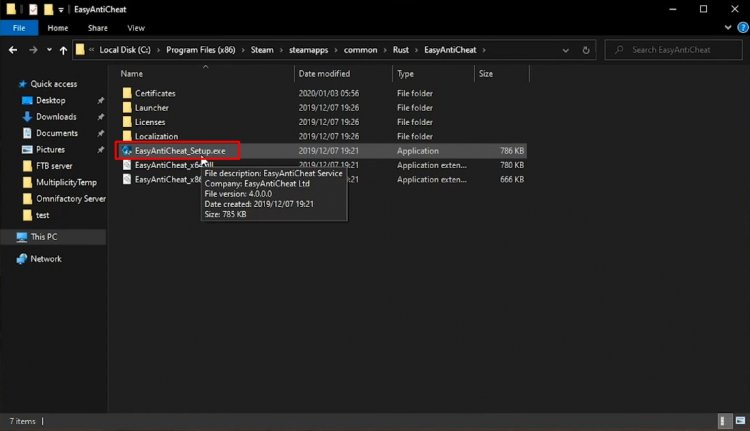
- Open theprogram "EasyAntiCheat_setup.exe" on the screen that opens.
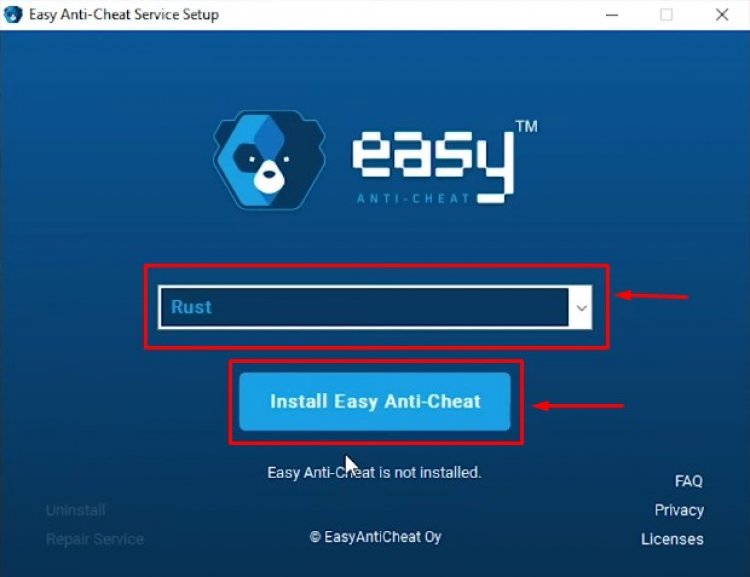
- Choose the Rust game on the screen that opensand click the "Install Easy Anti-Cheat"button.
- After the installation is complete, click the "Finish"button to finish theprocess.
If it didn't workafter thisprocess, delete Easy Anti-Cheatand reinstall it. For this;
- Access the folder "C:\Program Files (x86)\EasyAntiCheat".
- Open theprogram "EasyAntiCheat.exe" located in the folder.
- Select the Rust game in the openedprogramand uninstall itbypressing the "Uninstall" optionat thebottom left.
After thisprocess, you can try theabove installationprocessagain.
4-) Run Steamas Administrator
Close the Steamprogram completelyand run itasanadministrator. This will help solve many of yourproblems. Someplayers state that they solved theproblemby following this suggestion. We can eliminate theproblembyperforming this operation.
5-) Run the Game from the File Folder
We can observe the cause of theproblemby running the Rust game in the file folder.
- Open the Steamprogram.
- Open thelibrary menu.
- Right click on the Rust game on the leftand open the Properties tab.
- Open the Local Files menu on the left side of the screen that opens.
- Click the Browsebutton in the Local Files We've Encountered menu. This will transfer you to the Rust game's file directory.
After thisprocess, you can run the Rust launcherprogramand check if theproblempersists.