![How to Fix YouTube There Was A Problem In The Server [400] Error?](https://www.hatauzmani.com/uploads/images/202403/image_380x226_65f1745c66570.jpg)












Fix: Halo Infinite Winter Update Crashes on PC and Xbox
In this article, we will try to solve the winter update crashing and stuttering issue that Halo Infinite players encounter on PC or XBOX.
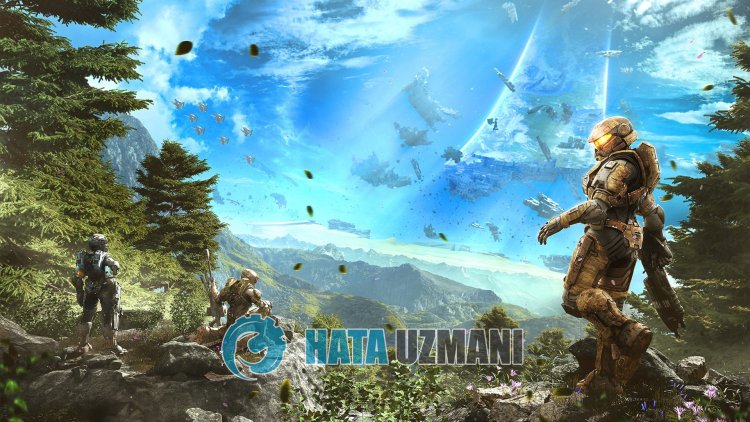
Halo Infinite players are facing the winter update crashing and stuttering issue on PC or XBOX, restricting their access to the game. If you encounter suchaproblem, you can findasolution by following the suggestions below.
Why Halo Infinite Winter Update Crashes on PC and Xbox
Users who have not encountered suchaproblem before, state that they have problems with stuttering and crashing with the arrival of the new update. This error, which is encountered by all Hala Infinite players, is stated asaserver or update issue.
How To Fix Halo Infinite Winter Update Crashes on PC and Xbox
The common reason for encountering this error is that the new update brought by the developers is problematic or the servers are problematic, and it seems that there isahang and crash.
No matter how much all Halo Infinite players complain about this situation, Halo Infinite developers report that they follow this situation and that Xbox users encounter such an error when they sign up for the Xbox Update Preview and they will find the solution by leaving the Xbox Update Preview
1-) Leave Xbox Update Preview
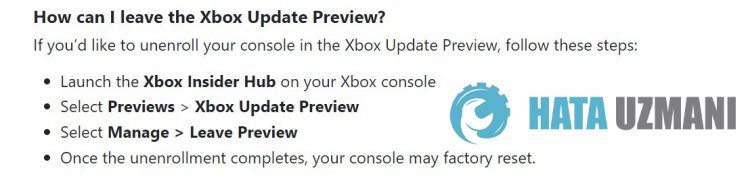
The developers of Halo Infinite are informing users who participated in the Xbox Update Preview to cancel. If you signed up for your console's Xbox Update Preview, let's cancel it. Follow these steps for us to cancel:
- Start Xbox Insider Hub on your Xbox console
- Previews > Choose Xbox Update Preview
- Choose Manage > Exit Preview
- After the deregistration is complete, your console can be reset to factory settings.
Check Halo Support's Twitter Post
2-) Perform Nvidia New Update
We can eliminate the problem by installing the new update of Nvidia on 11/10/2022 on your computer. Of course, this suggestion is notadefinitive solution. But making this new update can help us avoid potential bugs.
To perform the update, open the Geforce Experience application and download the new update version and restart your computer after completing the installation process. Then check if the problem persists.
3-) Wait for New Fix
The developers are trying to observe what kind of action happens because of players encountering suchaproblem. If they find what is causing this error, they can bringanew update so that users can play the game without any problems. We have no idea yet when they will fix this issue.
Yes, friends, we have solved our problem under this title. If your problem persists, you can ask about the errors you encounter by entering our FORUM platform that we have opened.