![How to Fix YouTube There Was A Problem In The Server [400] Error?](https://www.hatauzmani.com/uploads/images/202403/image_380x226_65f1745c66570.jpg)
















Fix: Battlefield 2042 Unable To Load Persistence Data Error
In this article, we will try to resolve the "Unable To Load Persistence Data. Game will return to start menu" error that Battlefield 2042 players encounter after running the game.

Battlefield 2042 players, after running the game, get the error "Unable To Load Persistence Data. Game will return to start menu. Please check your internet connection, make sure the Platform Client is online and try again." We will try to solve it in this article.
- What is Battlefield 2042 Unable To Load Persistence Data Error?
- How To Fix Battlefield 2042 Unable To Load Persistence Data Error
What is Battlefield 2042 Unable To Load Persistence Data Error?
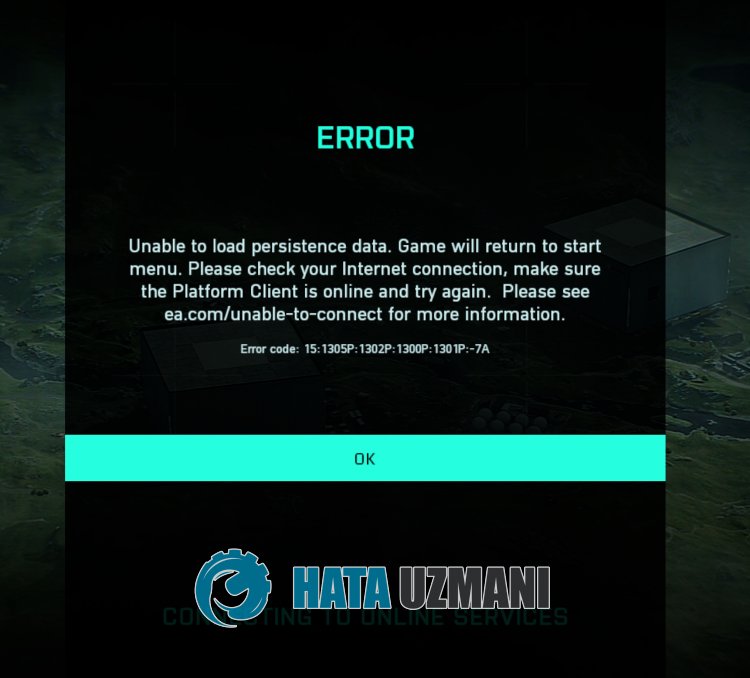
This error usually occurs when the servers are under maintenance or are extremely busy.
Of course, you may encounter such an error not only because of this problem, but also because of many other problems.
For this, we will give you information on how to fix the problem by mentioningafew suggestions.
How To Fix Battlefield 2042 Unable To Load Persistence Data Error
To fix this error, you can find the solution to the problem by following the suggestions below.
1-) The server may be under maintenance
Maintenance work on EA or game servers may cause you to encounter various connection issueslike this.
For this, first of all, we need to check the EA servers and observe whether the problem is server-side.
2-) Restart Computer
Restarting the computer will help prevent potential errors.
The problematic operation of some cache files created in the background may cause you to encounter such various problems.
For this, you can eliminate the problem by restarting the computer.
Restart the computer and run the game to see if the problem persists.
3-) Register Another DNS Server
We can eliminate the problem by registering another dns server on the computer.
- Open Control Panel and select Network and Internet
- Open Network and Sharing Center on the screen that opens.
- Click on Change adapter settings on the left.
- Right-click on your Connection Type to open the Properties menu.
- Double-click Internet Protocol Version 4 (TCP /IPv4).
- Let's apply the settings by typing the Google DNS server we will give below.
- Preferred DNS server: 8.8.8.8
- Other DNS server: 8.8.4.4
- Then click on Verify settings on exit option and press OK button to perform the actions.
After this process, let's move on to the other suggestion.
4-) Check Your Connection
The problem with the internet connection can cause many errors. If your internet connection is slowing down or disconnected, let's giveafew suggestions to fix it.
- If your internet speed is slowing down, turn your modem off and then on again. This process will relieve your internet alittle bit.
- We can eliminate the problem by clearing the Internet cache.
Clear DNS Cache
- Type "cmd" in the start search screen and run it as administrator.
- Command prompt screen by typing the followinglines of code one after the other and press enter.
- ipconfig /renew
- ipconfig /flushdns
- netsh int ipv4 reset
- netsh int ipv6 reset
- netsh winhttp reset proxy
- netsh winsock reset
- ipconfig /registerdns
- After this operation, it will show that your dns cache and proxies have been cleared successfully.
After this process, you can check by restarting the computer.
5-) MakeaWired Connection
If you are accessing the internet withaWi-Fi connection, your connection may be weak.
We can eliminate the problem by performing the cable connection to strengthen the connection access.
If the error persists despite following the suggestion, let's move on to the next suggestion.
Yes, friends, we have solved our problem under this title. If your problem persists, you can ask about the errors you encounter by entering our FORUM platform.